How To Replace Laptop Internal Cd Rom
This Page Will Show You How To Replace A Lap Top Internal Cd Rom Hp Dv200 Computer With Windows Xp Or Windows 7 [480], Last Updated: Sun Jul 05, 2020
Webune Tutorials
Sat Nov 28, 2009
0 Comments
746 Visits
Welcome to Webune Support Forums
we provide excellent dedicated linux servers and web hosting, additionally, we provided tutorials like this to help our clients with IT issues.
today we are going to show you how you can replace a broken internal CDROM from your laptop. if your cd rom stopped working, or you want to upgrade it to a DVD-ROM this is the procedure. we are going to be using an HP Pavillion laptop as the demostration computer. your PC might be different.
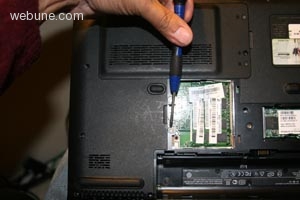
1. the first step is to find the screw thats holding the CDROM. as you can see, mine is located under the laptop:
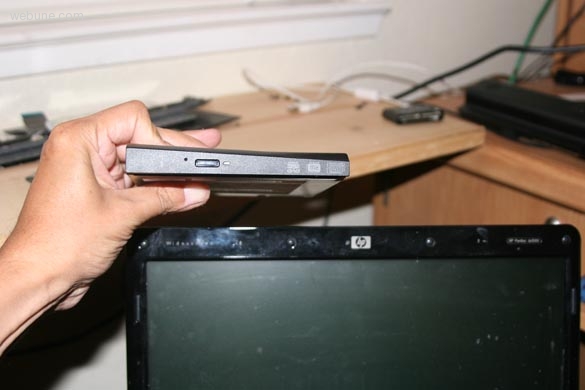
2. once you have removed the screw, you can pull out the old hard drive and replace it with the new one
done. hope that helps
we provide excellent dedicated linux servers and web hosting, additionally, we provided tutorials like this to help our clients with IT issues.
today we are going to show you how you can replace a broken internal CDROM from your laptop. if your cd rom stopped working, or you want to upgrade it to a DVD-ROM this is the procedure. we are going to be using an HP Pavillion laptop as the demostration computer. your PC might be different.
1. the first step is to find the screw thats holding the CDROM. as you can see, mine is located under the laptop:
2. once you have removed the screw, you can pull out the old hard drive and replace it with the new one
done. hope that helps