How To Disable A Drive Error Press F1 To Continue
This Page Contains information about How To Disable A Drive Error Press F1 To Continue By Silliop in category General Errors with 1 Replies. [1746], Last Updated: Sun Jul 05, 2020
Silliop
Sat Mar 06, 2010
1 Comments
971 Visits
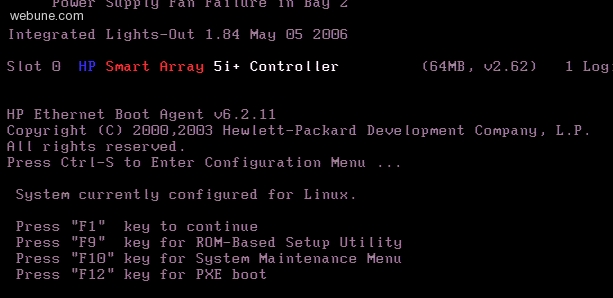
i have a server which is not hosting by you, but i do need some help. my buddy said you have a tutorial here on your forum regargin the press f1 issue, but i searched and cant find it. so im hoping you can guide me
my computer keeps booting and it stalls because its asking to press f1 to continue.
how can i bypass prompt?
my computer keeps booting and it stalls because its asking to press f1 to continue.
how can i bypass prompt?
webune
Tue Oct 06, 2009
usually you have to press F2, Esc, or Delete to enter into your bios, there look for the Boot menu, and look for 'error' section,
in the 'error' section, look for something that says 'halt on' or something like that, make sure you have it selected as 'none' or disabled,
when you have it on 'halt on' you are instructing your computer to halt POST if it found any errors, so what you want to do is to tell it to continue with POST even if it found errors.